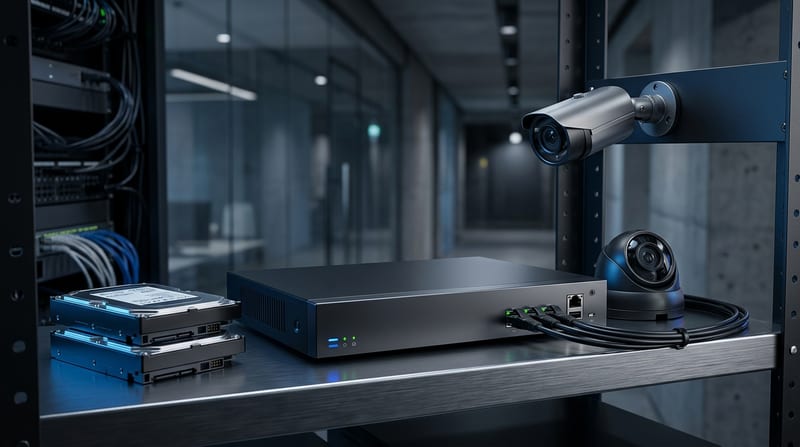
Security Camera Local Storage: No Cloud, No Subscription, No Problem
Local storage security cameras record directly to an on-premise NVR or a microSD card inside the camera. Footage never leaves your LAN. That removes the three failure modes that kill cloud-only systems: internet outages that erase evidence during the exact minutes that matter, monthly fees that compound past $2,500 over five years for a four-camera setup, and vendor access to your video under broad Terms of Service that most buyers never read.
The question is not whether local storage works. It does, and the math favors it once retention crosses a few weeks. The question is whether your install honors the engineering constraints that separate a system that quietly runs for five years from one that fails its first summer storm.
Why Cloud-Only Cameras Break When You Most Need Them
Internet outages create gaps that match the outage duration minute-for-minute. That is not a hypothetical. It is what cloud-only systems do by architecture. Buffering on the camera side lasts minutes at best and fails entirely if the camera reboots during a power blip.
Uplink math makes continuous cloud recording infeasible for most residential connections. A four-camera 4K system needs 16-32 Mbps sustained upstream just to push frames at the encoder rate. Providers that sell "gigabit" service routinely cap upload at 35 Mbps. A single 4K camera at continuous 15 fps produces roughly 2.7 TB per month. Four cameras easily exceed 10 TB. Monthly data caps make continuous 4K cloud recording mathematically impossible for most households without aggressive re-encoding.
The FTC settlement against Ring in May 2023 put numbers on the privacy side of the same equation. Amazon paid $5.8 million and was ordered to delete unlawfully obtained video. Ring complied with 3,158 law enforcement legal demands in the first half of 2022 alone and handed over customer footage 11 times without warrant under emergency exceptions.
"Ring's disregard for privacy and security exposed consumers to spying and harassment. The FTC's order makes clear that putting profit over privacy doesn't pay.", Samuel Levine, Director of the FTC's Bureau of Consumer Protection (FTC Press Release, May 2023)
Local storage changes the legal equation because law enforcement has to approach the homeowner directly. It changes the architectural equation because a server breach at the vendor cannot expose footage that never left your network.
How the PoE Camera to NVR Signal Chain Actually Works
The camera's image sensor feeds an in-camera ISP that demosaics Bayer data, runs noise reduction and HDR tone mapping, and hands the result to a hardware H.265 encoder. The encoded NAL units leave the camera as RTP packets over the same Cat6 pair that carries PoE power in.
PoE standards at a glance: 802.3af delivers 15.4 W at the PSE (≈12.95 W at the device), 802.3at delivers 30 W, and 802.3bt reaches 60-90 W for PTZ cameras with heaters and heavy IR. Fixed 4K bullets generally sit in the 3-8 W range. PTZ units with active IR and motor loads reach 14-25 W. Bundle that with cable resistance losses and you want a 15-25% safety margin on any PoE budget calculation before the first camera mounts.
One specific failure mode accounts for the majority of "camera keeps rebooting" tickets: the PoE budget was sized to typical draw, then dusk hit and IR activated across multiple cameras simultaneously. The switch shed ports because total draw crossed the PSU limit. That is not a surge. That is oversubscription.
ONVIF Profile compliance is the escape hatch from vendor lock-in. Profile S covers basic streaming and sits at roughly 90% adoption across IP cameras. Profile T adds H.265 and advanced streaming at roughly 60%. Profile G handles recording and storage at roughly 40%. A camera that ships with Profile T and G works with any NVR that speaks the same profiles. Vendor ecosystems lose their grip once you insist on compliance before purchase.
MicroSD, NVR, or NAS: Three Architectures With Different Failure Modes
MicroSD inside the camera is the cheapest option and the most fragile. The card is a single point of failure with a finite write-cycle count. High-endurance cards rated for surveillance duty last 12-24 months under continuous write pressure at 4K. Consumer cards fail faster. Heat inside the camera body accelerates the decline. This works for a single doorbell or a vacation-home deployment. It does not scale to four or more cameras.
A dedicated NVR scales better and isolates the failure domain. The rule of thumb is to buy an NVR with at least 2x the channel count of your current camera plan. A four-camera install should sit on an 8-channel NVR. Expansion always happens and a slightly oversized NVR saves a full replacement 18 months later. 16-channel models typically offer 2-4 drive bays. 32-channel boxes handle 4-8 bays and reach 100+ TB with the 24 TB surveillance drives that shipped in Q1 2026.
NAS integration through ONVIF Profile G is the most flexible architecture. The camera streams directly to a NAS share. RAID protects against single-drive failure. Expansion is a matter of adding drives rather than a new appliance. The tradeoff is more moving parts. Permissions, share protocols, and networking bugs all enter the failure surface. Reserve this approach for users who already maintain a NAS.
Outdoor housings matter more than many installers admit. Bullet cameras provide visible deterrence and long IR throw for perimeter work. Turrets avoid IR bounce at entrances where mounting is tight. Domes deliver IK10 vandal resistance where reach is a problem. PTZ units carry mechanical failure risk and much higher power draw. A 30-60 W budget is realistic once IR and motors run. Every outdoor body needs IP66 or IP67. Junction boxes are non-negotiable for outdoor cameras because the box, not the camera, is where cable connections live.
Surveillance-Rated Drives Earn Their Premium
Surveillance HDDs are not a marketing gimmick. WD Purple Pro and Seagate SkyHawk AI ship with firmware tuned for the exact workload an NVR imposes: 24/7 sequential writes at 550 TB/year sustained throughput. Desktop drives target 55 TB/year and run error-recovery routines that stall writes for 8-30 seconds during retries. That stall shows up in the NVR timeline as missing frames at the worst possible moment.
An eight-camera 4K system at 15 fps generates over 260 TB/year of write traffic. A desktop drive in that duty cycle fails in weeks to months. A surveillance drive survives 3-5 years in the same role. The $15-25 premium pays for firmware that prioritizes video throughput over bit-perfect retry, plus rotational vibration sensors and thermal management the consumer lines omit.
RAID 5 or 6 on the NVR's drive pool removes single-drive failure from the risk list. Hot spares reduce rebuild windows. Monitor SMART attributes weekly. Reallocated sectors and temperature excursions almost always precede the failure by enough time to swap the drive before data loss.
The 5-Year Cost Math
The average four-camera local storage system costs $600-$1,200 over five years including one mid-cycle drive replacement. A four-camera cloud equivalent runs $2,600-$2,800 in subscriptions alone before any hardware. The gap widens every year the system stays online.
| Line Item | Local NVR (4 cams) | Cloud (4 cams) |
|---|---|---|
| Hardware upfront | $450-$900 | $200-$400 |
| Storage (4-8 TB SHDD) | $120-$250 | Included in sub |
| Subscription 5 yr | $0 | $2,400+ |
| Drive replacement | $150-$200 | N/A |
| Electricity 5 yr | $75-$150 | $25-$50 |
| 5-year total | $795-$1,500 | $2,625-$2,850 |
National-average installation sits at $1,296 on labor for a small commercial install. Wired runs are $80-$200 per camera in labor. Wireless drops to $50-$120 but still requires a power run. An eight-camera fully-wired system lands between $3,000 and $4,000 installed. Commercial small-business jobs (4-16 cameras) range $1,500-$8,000 installed.
Section 179 of the 2025 One Big Beautiful Bill Act lets businesses expense security camera systems up to $2.5M in the year purchased rather than depreciating over five. That accelerates payback for commercial deployments meaningfully. NDAA-compliant options from Axis, Hanwha, Bosch, Avigilon, or Verkada carry a 20-40% hardware premium but satisfy federal and most grant-funded requirements.
How to Deploy an Eight-Camera Local-Only System
1. Select ONVIF Profile T and G cameras. Verify each model sustains offline operation after initial setup by testing with the vendor cloud blocked at the router. This is the step most installers skip. Some cameras check in at boot and refuse to record when the check fails. That is not local storage. That is cloud-gated local storage.
2. Size PoE with a 20-25% margin. Measure actual draw under full IR load with a clamp meter. A 120 W switch supports roughly 6-8 Class 4 cameras after margin, not the 12 the datasheet implies. Use Cat6A for any run approaching 80 m and keep total run length under 100 m.
3. Put the NVR and cameras on an isolated VLAN. Block outbound internet at the firewall except during scheduled firmware windows. Use WireGuard or OpenVPN for remote viewing. Do not expose the NVR's web UI to the public internet. Reserve an exception for NTP if you cannot serve time locally.
4. Install junction boxes on every outdoor camera. Corrosion destroys exposed connections within six months in humid climates. The $12 box is the difference between a camera swap that takes 20 minutes and one that takes two hours with a fresh cable pull.
5. Set retention with real scene data. Continuous recording at 15 fps H.265 works for outdoor cameras. Motion-triggered higher frame rates suit indoor zones. Test by simulating power cycles and network outages. Confirm the NVR timeline shows no gaps longer than one second and every camera continues writing while the WAN is down.
6. Monitor SMART weekly. Reallocated sectors, pending sectors, and temperature excursions precede failures. Schedule an automated check. A one-drive rebuild is a nuisance. Data loss is a case lost in court.
What Changed for Local Storage in 2026
On-device neural networks closed the last practical gap between local and cloud analytics. Reolink, TP-Link VIGI, and similar vendors now ship firmware that runs person, vehicle, and animal detection on the camera SoC. False-positive rates dropped measurably compared to 2024 firmware. That removes one of the strongest remaining reasons to accept cloud analytics.
Matter 1.5 arrived with official IP camera support, which enables standardized local streaming to smart displays without a cloud intermediary. Seagate and Western Digital expanded the surveillance lines to 24 TB and 28 TB capacities in Q1 2026. A single 24 TB SkyHawk AI drive now covers 30+ days of 16-camera 4K H.265 motion-only footage without RAID. That removes the "I need to build a RAID array just to retain a month" barrier that kept many residential buyers on cloud.
The Only Honest Failure Modes
Firmware updates can reintroduce telemetry. Lock firmware to the last stable version and audit release notes before every upgrade. A single large drive without RAID concentrates blast radius. A NAS with RAID 5 fixes this at the cost of added network complexity. Local AI still needs tuning. Alert fatigue from poorly-tuned person detection is real and makes the system worse than a dumb motion zone.
The FTC's case against Ring put a price on the cloud failure mode. The 5-year cost math put a price on the subscription failure mode. The uplink math put a price on the bandwidth failure mode. None of these arguments are new. What changed is that the engineering story now supports a local-first architecture at residential price points and with commercial-grade retention: ONVIF compliance, surveillance drive firmware, and PoE handshake discipline have all matured in the last 24 months.
Get the PoE budget right. Lock firmware. Isolate the VLAN. Pick Profile T and G cameras. The rest is maintenance, not firefighting.
Related: NVR Security Systems Explained: PoE Cameras, Storage, and Setup | Best Doorbell Camera 2026: Engineering Behind the Top Picks