How Inkless Printer Technology Actually Works
Inkless printers skip liquid ink entirely and use heat to develop color directly on coated paper or through dye ribbons. ZINK paper embeds three dye-crystal layers inside a plastic-coated sheet that develop at different temperatures, producing full color in a single pass. Canon SELPHY and Polaroid Hi-Print style dye-sublimation units move a CMYK ribbon past a thermal head and add a protective overcoat in a fourth pass. Both approaches depend on a $2-3 microcontroller firing hundreds of resistive heating elements with pulse accuracy measured in microseconds.
This guide walks through the thermal printhead architecture, the ZINK chemistry that enables single-pass color, the power and battery constraints that shape the product category, and the longevity math that separates a print you will still have in 20 years from one that fades in 12.
Thermal Printhead Architecture
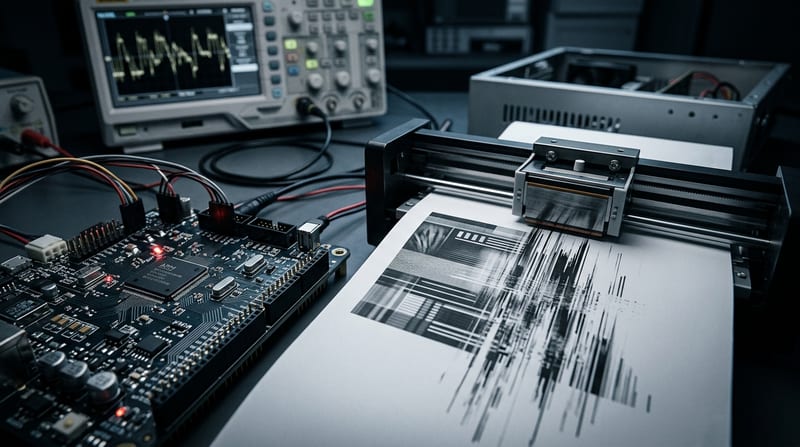
A thermal printhead is a linear array of resistive heating elements, typically 300-600 elements per inch. Each element receives a PWM-controlled pulse between 0.5 ms and 5 ms long. The element ramps to peak temperature in under 10 ms and cools before the paper advances by one line. Pulse timing directly controls how much energy reaches the paper, which controls which dye layer activates in ZINK or how much dye sublimates in a dye-sub ribbon.
The MCU driving the head must maintain accurate pulse widths across all active elements simultaneously. ESP32-S3 timer peripherals generate independent PWM channels without continuous CPU intervention, which is why these chips sit in so many consumer thermal printers. Per-element calibration tables stored in flash compensate for the 8-12% resistance variation that budget printheads ship with. Without that per-element correction, the same pulse width produces visibly different color density across the page.
Temperature feedback matters for color stability. Thermistors embedded in the head feed readings into a PID loop that adjusts pulse width on the fly as the head heats up during a long print. Without active compensation, the last inch of a photo prints darker than the first inch because the bulk of the printhead is 20-30 °C warmer than when the job started.
The firmware runs three nested loops: the outer loop tracks paper position via optical sensors, the middle loop calculates required energy per pixel from the image buffer, and the inner loop fires the heating pulses at 10-20 kHz. DMA channels move pulse lookup tables from flash directly to the PWM registers to avoid CPU bottlenecks. Context switch latency under 3 μs on FreeRTOS keeps all three loops synchronized.
ZINK Paper Chemistry
ZINK ("Zero Ink") paper embeds yellow, magenta, and cyan dye crystals in a three-layer stack under a plastic topcoat. Each layer activates at a different temperature combined with a specific pulse duration. Yellow develops around 100-120 °C, magenta around 150-170 °C, and cyan above 180-200 °C. The firmware builds a lookup table that converts desired CMYK pixel values into pulse sequences that activate only the intended layer without bleeding into the layers above or below.
The resolution ceiling is set by crystal size. Current ZINK formulations use 10-15 μm crystals. At 300 DPI, that is near the physical limit. Marketing spec sheets claim 600 DPI on some units, but that number is interpolated. Native resolution governs visible sharpness.
The protective plastic topcoat adds mechanical durability at the cost of thermal mass. The printhead must overshoot the target temperature by 8-12 °C to compensate for heat the topcoat absorbs before reaching the dye layers. That overshoot is where pulse-width calibration matters most. Miscalibrate and the topcoat color shifts or burns.
Single-pass printing finishes a 2×3 photo in about 45 seconds on current ZINK hardware. Dye-sub at comparable size takes 75-90 seconds because the paper passes the printhead four times (yellow, magenta, cyan, overcoat).
Dye-Sublimation Ribbon Transfer
Dye-sub printers move a polyester ribbon containing solid dye panels past the thermal head. Heat causes the dye to sublimate (transition from solid to gas without passing through liquid) and diffuse into the paper surface. The process repeats four times with ribbon advance between passes. A typical ribbon loaded into a Canon SELPHY QX20 holds 30 prints' worth of CMYK plus overcoat.
Ribbon registration is the tight tolerance. Each panel must align within 0.1 mm of the previous pass or color fringing appears at edges. Stepper motors driven by the main MCU handle ribbon advance. The MCU tracks how many panels remain and stops the job when ribbon is insufficient to complete the current print rather than aborting mid-color.
The fourth pass applies a clear polymer overcoat that polymerizes under heat and seals the dyes beneath a water-resistant film. This is what gives SELPHY prints fingerprint resistance and UV stability that ZINK cannot match. The overcoat adds 15-20 seconds per print and 200-400 mW of sustained draw during the pass.
Power Budgets and Battery Life
USB-C can supply 5 V at up to 3 A for desktop use. Internal lithium cells typically limit peak current to 1.8-2.2 A to protect cell chemistry. A 10-page print job at full resolution sags battery voltage by 0.3-0.4 V when the pack is under 30% state of charge. Firmware throttles pulse frequency during low battery to avoid triggering the MCU's brownout detector.
| Energy used | Prints per 2000 mAh cell | |
|---|---|---|
| ZINK 2×3 | 0.9-1.2 Wh | 35-45 |
| Dye-sub 4×6 | 1.8-2.4 Wh | 25-30 |
| Dye-sub 2×3 | 1.1-1.5 Wh | 30-35 |
The battery gap explains why dye-sub units usually ship with wall-power-only operation or a larger internal cell than competing ZINK devices.
Fade Rates the Spec Sheet Omits
Durability is where the two technologies diverge visibly over time. Accelerated aging tests run at controlled temperature and humidity give a reasonable proxy for shelf life under normal storage.
- ZINK under indoor light: 35-45% density loss in the magenta channel after 12 years at 23 °C and 50% RH. The plastic topcoat slows UV-induced crystal breakdown but cannot stop it.
- Dye-sub with overcoat: Under 10% density shift after the equivalent of 25 years of album storage. The polymer seals oxygen and UV out of the dye layer.
- Direct thermal receipt paper: Not a photo technology. Prints turn brown within 24 months on a sunny windowsill because leuco dyes react with ambient moisture and acids. Firmware cannot fix base chemistry.
Storage conditions matter. Heat above 30 °C, humidity above 60%, or direct sunlight cut ZINK life roughly in half. Reality includes shoeboxes, car dashboards, and refrigerator doors, none of which approximate the spec sheet's ideal conditions.
Hardware and Media Cost in 2026
| Model | Technology | Hardware | Cost per 2×3 | Longevity | Battery prints |
|---|---|---|---|---|---|
| Kodak Step | ZINK | $99 | $0.38 | 10-12 yr | 35 |
| Polaroid Hi-Print | Dye-sub | $179 | $0.48 | 18 yr | 28 |
| Canon SELPHY QX20 | Dye-sub | $199 | $0.52 | 20+ yr | 25 |
Media cost dominates total ownership past the first 200 prints. ZINK 50-sheet packs retail near $0.42 per 2×3 print. Dye-sub ribbon-and-paper combos run $0.48-$0.55 for equivalent size. Contrast with an Epson EcoTank that prints 4×6 photos on archival ink at $0.04-$0.06 each after the initial ink fill. At $279 for a tank printer, the break-even point against ZINK at $0.40 per print sits around 180-250 photos.
A family that prints 400 event photos per year spends $160 in ZINK media annually versus $22 in EcoTank ink. If your annual print volume exceeds 100, tank-based inkjet wins on cost. If it sits below 50 and you value instant pocket-sized output at events, ZINK or portable dye-sub still makes sense.
Failure Modes and Mitigation
Three failure categories account for most field returns on portable inkless printers.
Printhead clogging from paper dust and polymer residue. Cleans out with the manufacturer's cleaning card and two dry cycles. Happens more in dusty environments. Power off and allow the head to cool before running the cleaning sequence.
Battery voltage sag during long print runs. Five consecutive 4×6 dye-sub prints can drop voltage below the MCU brownout threshold on a cell below 40% state of charge. Use an external USB-C power bank rated for 18 W continuous if you are printing more than three photos in a row on battery.
Bluetooth dropouts mid-job. The printer clears its buffer on disconnect, so a mid-job BLE failure means restarting the entire print, which wastes paper. Keep the phone within 6 feet of the printer during transmission and disable other 2.4 GHz devices that might be interfering. Restarting the printer after a dropout usually reseats the BLE stack cleanly.
Check for firmware updates immediately after unboxing. Manufacturers occasionally ship units with thermistor coefficient bugs that cause visible color shifts. The fix ships in a later firmware release that the retail unit has not received yet.
Buy Decision Framework
Ask three questions before buying:
- Annual print volume? Under 50 prints/year favors ZINK for simplicity. 50-200 favors dye-sub for longevity. Above 200 favors tank-based inkjet for cost.
- Do prints need to survive handling and UV? Dye-sub with overcoat, no question. ZINK fades visibly outdoors within 2-3 years.
- Is portability genuinely required? If the printer will live on a desk, a $279 EcoTank beats any inkless option on per-print cost and output quality. If it needs to fit in a pocket at events, portable dye-sub is the honest answer.
Native DPI matters more than interpolated DPI on the spec sheet. Battery capacity alone does not predict real print counts because peak current delivery varies by cell chemistry. MCU class (Cortex-M4 or better) and whether firmware exposes per-element calibration tables separate the better devices from the ones that will produce visibly uneven color after the first 100 prints.
Validate your actual print volume for 90 days before committing to any recurring media system. The spec sheet lies less than the marketing, but both lie enough that measured behavior beats either one.
Related: From Microcontrollers to Smart Thermostats: The Tech Inside Your HVAC | FPGA vs Microcontroller: Which Runs Your Smart Home Hub