Zigbee vs Z-Wave: The Protocols Running Your Smart Home
Zigbee vs Z-Wave decisions come down to execution constraints most installers discover after the network is already deployed. Zigbee 3.0 runs at 250 kbps on the 2.4 GHz band using the 802.15.4 PHY. Z-Wave Long Range runs at 100 kbps on sub-GHz frequencies. These numbers dictate range, latency, interference tolerance, and maximum device count.
The difference appears immediately when a zigbee smart switch sits behind a brick wall or a z wave thermostat operates from a detached garage. Data rate and frequency aren't marketing details. They determine whether commands arrive in 50 ms or 400 ms and whether your network needs five routers or none.
Zigbee 3.0 vs Z-Wave Long Range: Technical Specifications Compared
| Feature | Zigbee 3.0 | Z-Wave Long Range |
|---|---|---|
| Frequency | 2.4 GHz | Sub-GHz (908 MHz US) |
| Data Rate | 250 kbps | 100 kbps |
| Max Nodes | 65,000 (theoretical) | 232 |
| Typical Indoor Range | 30-100 feet | 200-400 feet |
| Interference Risk | High (shares band with WiFi) | Low |
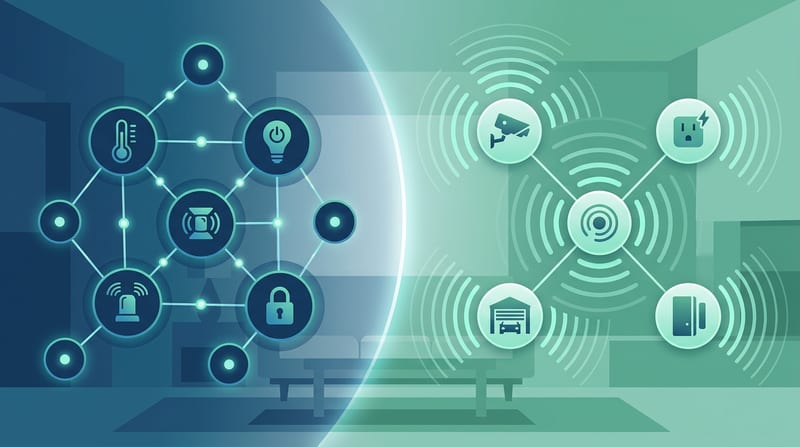
| Mesh Behavior | Dense, multi-hop | Direct connection preferred |
The myth is that these protocols are interchangeable. Evidence from propagation characteristics and channel utilization shows they solve different problems. The practical takeaway is to map your physical environment before choosing.
Zigbee 3.0 achieves 250 kbps using O-QPSK modulation on the 2.4 GHz band. The 802.15.4 PHY transmits at 2 Mcps chip rate with direct sequence spread spectrum (IEEE 802.15.4 (Thread/Zigbee Physical Layer), 2024).
Z-Wave Long Range uses binary FSK or GFSK at 100 kbps. The lower rate extends on-air time but improves link budget. A typical 40-byte command occupies the channel significantly longer than the equivalent Zigbee frame.
- The microcontroller writes the command into the radio FIFO.
- The baseband processor modulates according to the PHY specification.
- The power amplifier drives the antenna.
- On the receive side the radio demodulates, checks the CRC and interrupts the host MCU.
The entire process consumes 2-4 W in active states for most chips. ESP32-based coordinators using the ESP32-S3 draw 0.8-1.5W for the SoC itself (Espressif ESP32-S3 Technical Reference Manual, 2025).
In practice this means a zigbee smart switch can acknowledge a toggle command faster than a Z-Wave equivalent. The difference rarely matters for a single light. It accumulates when 30 sensors report state changes every minute.
802.15.4 PHY Layer and ESP32 Implementation Details
The 802.15.4 specification defines 16 channels in the 2.4 GHz band. Zigbee coordinators scan these channels during network formation and select the one with lowest energy. Receiver sensitivity reaches roughly -100 dBm at 1% packet error rate.
ESP32-C6 and ESP32-H2 chips integrate the 802.15.4 radio directly. They handle both Zigbee and Thread with the same hardware. The vector instruction unit on the ESP32-S3 accelerates packet processing. BOM cost stays between $2.50 and $3.50 at volume (Espressif ESP32-S3 Technical Reference Manual, 2025).
"We designed the ESP32-S3 vector instruction unit specifically to enable on-device wake-word detection and simple ML inference. The goal was a $3 chip that can listen, not just connect," says Teo Swee Ann, CEO and founder of Espressif Systems (Espressif Developer Conference 2024).
FreeRTOS runs on an estimated 40%+ of all embedded MCUs with an RTOS. Worst-case interrupt latency on ESP32-S3 with FreeRTOS measures ~3μs (FreeRTOS Developer Documentation, 2025).
Sub-GHz vs 2.4 GHz: Wall Penetration and Real-World Range Tradeoffs
Sub-GHz signals experience 6-10 dB less attenuation through typical interior walls than 2.4 GHz signals. A 908 MHz wave is roughly 33 cm long. A 2.4 GHz wave is 12.5 cm long.
- Zigbee range indoors usually measures 30-100 feet.
- Z-Wave Long Range regularly achieves 200-400 feet in the same buildings.
- Z-Wave claims up to 4000 ft in open field but real homes see lower numbers.
The practical takeaway is that Z-Wave wins in homes with thick walls or metal construction. Zigbee wins in dense device deployments where mesh routing provides redundancy.
Mesh Hop Latency and Routing Algorithm Constraints
Zigbee mesh hop latency runs 10-30 ms per hop. Four hops produce 40-120 ms total latency. The delay becomes visible in synchronized lighting scenes or occupancy-triggered actions (Home Assistant Statistics, 2025).
Z-Wave Long Range favors direct connections. This eliminates hops, reduces latency, and removes single points of failure in the mesh. Battery life improves because devices avoid routing traffic.
ARM Cortex-M4 remains the sweet spot for these coordinators. The core provides DSP instructions and hardware FPU at $1-$3 per chip while maintaining power efficiency (ARM Cortex-M4 Technical Reference Manual, 2024).
"ARM Cortex-M4 with hardware FPU hit the sweet spot for IoT: fast enough for DSP, cheap enough for volume, power-efficient enough for battery. That's why it outsells every other core in embedded," says Chris Shore, VP Marketing at ARM IoT Division (ARM DevSummit 2024).
Node Limits and Network Scaling Reality
Zigbee theoretically supports 65,000 nodes. Z-Wave Long Range caps at 232 nodes. Real deployments hit practical limits much earlier.
- Zigbee coordinators run out of RAM for routing tables around 150-200 nodes on typical 32-bit MCUs.
- Broadcast storms during route discovery become the dominant failure mode.
- Z-Wave networks become sluggish above 100 devices due to lower data rate and controller-centric routing.
The practical takeaway is to stay under 80 devices per network for reliable operation. Larger homes should run multiple coordinators on different channels.
Coexistence with WiFi and Interference Management
Zigbee shares the 2.4 GHz band with WiFi, Bluetooth and microwave ovens. Z-Wave operates in a mostly empty sub-GHz band. This single difference explains most reliability complaints.
Zigbee coordinators should select channels 15, 20, 25 or 26 to avoid overlap with WiFi channels 1, 6 and 11. A WiFi access point 15 feet from the coordinator can raise packet error rate from 1% to 15%.
Z-Wave maintains consistent performance in apartment buildings with 20 visible WiFi networks. This advantage is decisive in dense urban settings.
Home Assistant Integration and Local Control Implementation
Home Assistant runs more than 1 million active installations and supports over 2400 integrations (Home Assistant Statistics, 2025).
Zigbee2MQTT and Z-Wave JS both run locally without cloud dependency. ESP32-C6 and ESP32-H2 provide native radio support for custom coordinator builds under $3 at volume.
"The open-source community has built something with Home Assistant that no single company could have built alone. Two million installations in 2025 proves the demand for local, private smart home control," says Paulus Schoutsen, founder of Home Assistant / Nabu Casa (Home Assistant 2025.5 release blog, May 2025).
The Matter 1.4 Transition and Future-Proofing Strategy
Matter 1.4 adds energy management, EV chargers and appliance support. It runs over Thread or WiFi. Thread uses the same 802.15.4 radio as Zigbee but adds IPv6 and improved security (Connectivity Standards Alliance - Matter, 2025).
2800+ certified devices existed as of March 2025. New deployments should prioritize Matter-compatible devices with Thread support. Existing Zigbee and Z-Wave hardware remains useful through bridges.
"Every smart home protocol claims to be the last one you'll ever need. Zigbee said it. Z-Wave said it, and Now Matter says it. The difference is that Matter has Apple, Google, and Amazon all pushing it simultaneously," says Stacey Higginbotham, IoT journalist and founder of Stacey on IoT (Stacey on IoT podcast, Episode 472, 2024).
Cost Tradeoffs: When the Extra $50 Per Device Is Justified
A basic WiFi smart switch has $8-12 BOM. Adding a Zigbee or Z-Wave radio plus certification pushes the BOM to $15-20. Retail price difference often reaches $40-60.
The extra cost buys either superior wall penetration (Z-Wave) or higher node density and mesh robustness (Zigbee). Measure your environment. Count the walls. Test with temporary USB coordinators when possible.
Choose the protocol that keeps latency under 150 ms and packet errors under 2 percent for your specific installation. The numbers on the spec sheet only tell part of the story. The walls, WiFi signals, and device density in your home tell the rest.
Practical implementation recommendation: Start with an ESP32-C6 or ESP32-H2 based coordinator running Zigbee2MQTT or Z-Wave JS in Home Assistant. Map your RF environment before scaling beyond 40 devices. The protocol that wins on paper doesn't always win in your walls.